Choosing acloud Mac mini M4in 2026 is less about the logo on the invoice and more aboutwhere the machine sits, how muchRAM and NVMeyour Xcode, simulators, and caches actually consume, and whether you should rentone larger boxorseveral smaller machines in parallel. This FAQ walks through six common regions —Singapore, Tokyo, Seoul, Hong Kong, US West, and US East— compares entry and mid tiers such as16GB / 256GB versus 24GB / 512GB, sketches when1TB or 2TB SSD expansionbeats juggling external workflows, and translates that intoshort-term spikes versus steady mid-term rentwithout pretending a single ping chart replaces your own measurements.

1. Six regions: when APAC edges out US East or US West
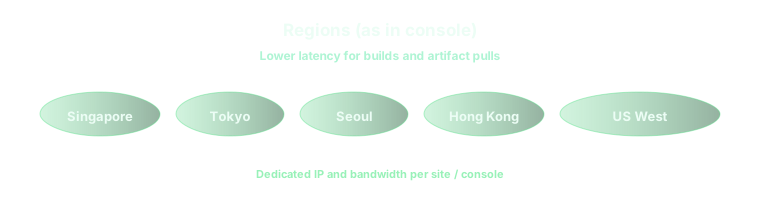
Engineers in Japan, Korea, Greater China, or Southeast Asia usually feel the difference immediately when they move a build runner from aUS coastto aTokyo, Seoul, Singapore, or Hong Kongnode: interactive SSH and VNC stay snappy, and fewer round trips hit registries or internal APIs that also live in Asia. Teams whose developers sit mostly in North America should symmetrically favorUS West or US Eastdepending on whether their artifact storage, VPN concentrators, and SaaS control planes skew Pacific or Atlantic. Marketing tables of average ping are a weak substitute formeasuring from your office Wi‑Fi and CI subnetwith a realxcodebuildor self-hosted runner job.
2. Mac mini M4 tiers: 16GB / 256GB versus 24GB / 512GB
The entry16GB RAM / 256GB SSDprofile is a sweet spot for lean iOS pipelines, smaller Flutter or React Native apps, and agents that mostly compile and upload artifacts. It starts to pinch when you keep multipleSimulatordevice types resident, run local language models, or host several long-lived services for integration tests. Stepping up to24GB RAM / 512GB SSDbuys headroom for parallel test shards on one host, larger DerivedData folders, and Docker-heavy workflows without constantly babysitting disk cleanup scripts. If your team is already debating nightly cron jobs that delete caches, you are closer to needing the larger tier than spreadsheet math suggests.
3. 1TB or 2TB expansion: when disk is cheaper than engineering time
Once remote caches, container layers, and old Xcode betas accumulate, a 256GB or 512GB root volume turns into aweekly incident generator. Adding1TB or 2TB NVMeis less about bragging rights and more about keeping CI predictable: large monorepos, Bazel output bases, and Gradle user homes all prefer abundant sequential write bandwidth on the same machine. If you are constantly rsyncing artifacts between a Mac and another continent, first fix topology; if you are constantly deleting build outputs locally, first fix disk. When both are already reasonable, expansion is usually cheaper than burning senior engineer hours on storage babysitting.
4. Parallel Mac minis versus one “maxed” machine
A single powerful Mac mini is simpler to reason about, butparallel dedicated hostsisolate noisy neighbors, let you pin one node to production releases and another to experiments, and align naturally with sharded CI. The trade-off is operational: more SSH fingerprints, more agents to upgrade, more security baselines to track. If you are standardizing Bazel remote execution or Gradle build caches across a pool, it helps to read the companion FAQ onremote cache hit rates and NVMe headroombefore you decide how many machines sit behind the same cache namespace. Learn more: Bazel and Gradle remote builds on a cloud Mac pool in 2026. For OpenClaw-style stacks that combine gateways, browsers, and background workers, pairing this region strategy with the practical instance guide can save a round of mis-sized orders. Learn more: Running OpenClaw on vpszap cloud Mac instances.
5. Short spikes versus mid-term rent: how to think about cost
Daily or weeklyrentals shine for release trains, hackathons, or proving a region before you move the whole team.Monthly or quarterlycycles reward steady macOS CI baselines, persistent caches, and long-lived developer environments where reprovisioning wipes more value than it saves. The wrong pattern is renting the largest possible configuration for a three-day spike, then downgrading so aggressively that caches cold-start on every renewal. A healthier pattern matchesbilling cadence to how long your caches and credentials are allowed to live, then adjusts RAM, SSD, and region together instead of toggling only one knob.
6. Quick checklist before you click “order”
- Have you measuredlatency and throughputfrom each office and CI subnet to at least two candidate regions, not only to the closest city on a map?
- Does a typical pipeline fit comfortably in16GB RAM, or do you already run out of memory when tests and Simulator clusters overlap?
- Will your DerivedData, Docker data, and caches stay under512GBfor the whole billing period, or should you budget1TB or 2TBup front?
- If you needparallelism, is that parallelism better modeled asmultiple Mac miniswith isolated disks, or one larger machine with stricter job scheduling?
On vpszap, these decisions map cleanly to real hardware
Every topic above — picking amongSingapore, Tokyo, Seoul, Hong Kong, US West, and US East, sizingMac mini M4RAM and SSD, addinglarger NVMe, or fanning outparallel dedicated hosts— is simpler when you are not sharing a hypervisor with strangers. vpszap deliversphysical Apple Silicon Mac minimachines withSSH and VNCin aboutfive minutes, billed by theday, week, month, or quarterwithno long-term contract, so you can align region and specs to a real sprint instead of a three-year capex guess. Apple Silicon performance stays predictable because the cores, GPU, and disk are entirely yours.
If you want this FAQ’s layout running on hardware that matches Apple’s own reference environment, start from the product story on thevpszap cloud Mac mini homepage.
