If you want Llama 3, Qwen, Mistral, and other open weights on infrastructure you control, one of the lowest-friction paths in 2026 is still Ollama: pull a model, expose a local /v1 OpenAI-compatible endpoint, and follow well-documented Linux + NVIDIA CUDA installs. This guide targets the search intent behind cheap GPU VPS and run Ollama cloud: decide whether a GPU host beats token APIs, size VRAM, run a copy-paste CUDA / Docker acceptance checklist, and compare monthly GPU rent to per-token bills—with a parameterized formula, not invented vpszap list prices.

Who should run Ollama on a GPU VPS (private inference, compliance, batch vs live API)
Self-hosted Ollama on a GPU server fits when: (1) prompts or training data must not leave your boundary—private inference and audit trails matter; (2) nights and weekends carry large summarization, labeling, or RAG indexing jobs where offline batch beats paying per request; (3) a fixed set of internal services (roughly 3–20 concurrent callers) hits the same model and API spend grows linearly each month; (4) you need pinned model versions and quant tiers (Q4_K_M, Q5, etc.) instead of silent upstream swaps.
Commercial token APIs still win when peaks are unpredictable, you need the newest closed models, or nobody will maintain drivers and disks. If monthly volume is tiny (for example under ~5M tokens) and latency is loose, a standing GPU monthly fee may idle most of the time. Boundary: CPU-only tiny quants can be tried on a non-GPU cheap VPS, but context length and tokens/s collapse—this article assumes Ollama + NVIDIA GPU.
VRAM vs model size (with downgrade paths when VRAM is tight)
Sizing is not "parameters ÷ 2." Budget for parameters × quant bits + KV cache, which grows with context length and concurrent sessions. The table below reflects common 2026 inference tiers (single instance, ~8k context); validate with nvidia-smi on your host.
| Model scale | Typical quant | Suggested VRAM (single stream) | Typical cloud SKU | If VRAM is insufficient |
|---|---|---|---|---|
| 7B (Llama 3, Qwen 2.5, etc.) | Q4_K_M | ≈ 6–8 GB | RTX 3060 12G, T4; RTX 4090 has headroom | Q3 or shorter context; fewer concurrent requests |
| 7B | Q8 / partial FP16 | ≈ 10–14 GB | RTX 3080/4080, L4 | Drop to Q4; remove extra adapters |
| 13B | Q4_K_M | ≈ 10–12 GB | RTX 4090 24G, A10 24G | 7B distill; batch offline |
| 34B–40B | Q4 | ≈ 22–26 GB | RTX 4090 24G (tight), A100 40G | 13B; multi-GPU (depends on Ollama version) |
| 70B | Q4_K_M | ≈ 40–48 GB+ | A100 80G, H100, multi-GPU | 34B or split pipeline; API for peaks |
RTX 4090-class cheap GPU VPS hosts are the usual sweet spot for 7B–13B quants. A100 / H100 Cloud GPU tiers belong to 70B, long context, or higher parallelism. Downgrade order: lower concurrency → shorter context → smaller quant → smaller model → split batch jobs—avoid launching the largest weights first and looping on OOM.
Docker and bare-metal CUDA: two install checklists
Path A: bare-metal Linux + NVIDIA driver (common production default)
- After provisioning a GPU instance, SSH in; plan ≥ 80GB disk—model cache grows quickly.
- Install the NVIDIA driver; accept with
nvidia-smi(GPU name, driver version, total VRAM). - Install Ollama per docs:
curl -fsSL https://ollama.com/install.sh | sh, thensudo systemctl enable --now ollama(unit name may vary). - Pull a model:
ollama pull qwen2.5:7b-instruct-q4_K_M(tag per library). - Health:
curl -s http://127.0.0.1:11434/api/tagsreturns JSON; expose externally only behind TLS and auth. - OpenAI-compat probe:
curl http://127.0.0.1:11434/v1/models.
Path B: Docker + NVIDIA Container Toolkit
- Install
nvidia-container-toolkit, runsudo nvidia-ctk runtime configure --runtime=docker, restart Docker. - Start:
docker run -d --gpus=all -v ollama:/root/.ollama -p 11434:11434 --name ollama ollama/ollama(verify tag on Docker Hub). - Run inside container:
docker exec -it ollama ollama run llama3.2. - Same checks:
curl http://127.0.0.1:11434/api/tags; logs viadocker logs -f ollama.
If you already debug container stacks on a gateway host, the layered health-check mindset in OpenClaw Docker Compose deployment troubleshooting transfers well to Linux GPU + Ollama (volumes, probes, "process up but handshake fails").
Performance and cost: tokens/s benchmark and break-even math
Lightweight benchmark (copy-paste)
# 1) Baseline VRAM
nvidia-smi --query-gpu=memory.used,utilization.gpu --format=csv -l 1

# 2) Streamed run — eyeball tokens/s (use your pulled model name)
time ollama run qwen2.5:7b-instruct-q4_K_M "In 200 words, list an AI inference hosting acceptance checklist."

# 3) HTTP smoke (install hey or wrk; rate-limit first)
hey -n 20 -c 2 -m POST -H "Content-Type: application/json" \
  -d '{"model":"qwen2.5:7b-instruct-q4_K_M","prompt":"hi","stream":false}' \
  http://127.0.0.1:11434/api/generate
Log three numbers for your decision matrix: time to first token, steady tokens/s, and whether concurrency = 2 triggers OOM. Relative comparisons on the same machine matter more than leaderboard claims.
Monthly cost framework (fill your own prices)
Let G = GPU host monthly rent (or $/GPU-hour × 730), E = power/colocation if self-hosted, A = ops overhead (optional). API spend ≈ T × P where T is monthly tokens (split input/output if priced separately) and P is vendor $/1M tokens from current public pages.
Break-even (rough):When G + E + A < T × P and you can keep the GPU busy, self-host leans attractive; otherwise keep APIs—or hybrid (API for peaks, Ollama for troughs).
| Scenario | Monthly tokens (illustrative) | Tendency | Notes |
|---|---|---|---|
| Solo developer | < 3M | API or short 4090 rental trial | Fixed rent may idle |
| 3-person product team | 20M–80M | Single 4090 + Ollama often wins | Night batch raises utilization |
| Night batch (~8h/day) | Elastic | GPU-hour billing can beat 24/7 | Power down daytime |
| 70B + long context | High | A100 tier + strict concurrency caps | OOM and API bills both hurt |
Example placeholders (replace with your quotes): if G = $280/mo for a 4090-class Cloud GPU, T = 50M tokens, blended P ≈ $0.6/1M, API ≈ $30—API looks cheaper on cash, but excludes data residency and version control. At T = 500M, API ≈ $300 and self-host starts to compete—if you will operate drivers, disks, and security. For multi-provider routing patterns (still with Ollama as the inference core), see OpenClaw multi-provider config and failover.
Production hardening: systemd, restarts, disk, logs, rate limits
- systemd:
Restart=on-failure; stop Ollama before upgrades to avoid half-written blobs. - Disk:Alert when
/var/lib/ollamaor the Docker volume drops below ~15% free; parallel pulls fill disks fast. - Logs:Rotate journal or
docker logs; record model tag, quant, and concurrency for OOM postmortems. - Rate limits:Cap QPS and body size on
/v1/chat/completionsat the reverse proxy; never expose 11434 on 0.0.0.0 without auth. - Config as code:Rebuild model cache from pulls; keep Modelfiles and policy in Git.
GPU VPS usually means SSH only—no VNC. Plan bastion + port forwarding for admin endpoints, similar to locking down a build host.
Error matrix (CUDA mismatch, OOM, slow pulls, exposed ports)
| Symptom | Likely cause | Fix order |
|---|---|---|
nvidia-smi missing GPU | Driver not installed, GPU not attached, reboot needed | Console GPU SKU → reinstall driver → provider ticket |
| No GPU inside container | Toolkit missing, no --gpus=all | nvidia-ctk configure → restart Docker |
| CUDA version mismatch logs | Driver vs runtime libraries | Align host driver; pin official ollama/ollama tag |
| OOM / killed process | Oversized model, concurrency, long context | Lower concurrency → shorten context → Q4 → 7B |
Slow ollama pull | Cross-border bandwidth, slow disk | Off-peak pulls; larger disk; compliant mirror if allowed |
| Scanned open 11434 | Binding 0.0.0.0 publicly | Security group allowlist; API key or mTLS |
Footnote:Teams needing continuous batching and hot LoRA swaps sometimes evaluate vLLM separately. This article stays on Ollama for install surface and /v1 compatibility for small and mid-size teams.
When a cheap GPU VPS is the wrong default (boundaries)
- Very low monthly tokens and no Linux operator—buy time with APIs instead of drivers.
- 70B full precision or heavy multimodal—one 4090 is not enough; do not force the cheapest SKU.
- Advertised VRAM does not match
nvidia-smi—change SKU or region, do not tune prompts around fraud. - Compliance needs dedicated hardware attestations—verify contracts and logging, not only $/hour.
FAQ
- Cheap GPU server vs Cloud GPU? VPS-style single-card rent vs GPU-hour pools. Pick by whether you need 24/7 or intermittent batch.
- Can Ollama replace OpenAI entirely? For open weights and tolerant latency on internal tools, often yes; for newest closed models or strict SLA, keep API capacity.
- Minimum for local LLM deployment? 7B Q4 wants ≥ ~8GB usable VRAM; production usually wants 24GB headroom for KV and concurrency.
- How to accept AI inference hosting?
nvidia-smi,/api/tags, and a fixed-prompt tokens/s baseline before traffic cutover. - Managed "run Ollama cloud" vs DIY? Managed saves ops; DIY controls data and unit economics. On vpszap you provision GPU instances and run this checklist on the machine.
Match GPU tier to model size—pass Ollama acceptance before scaling out
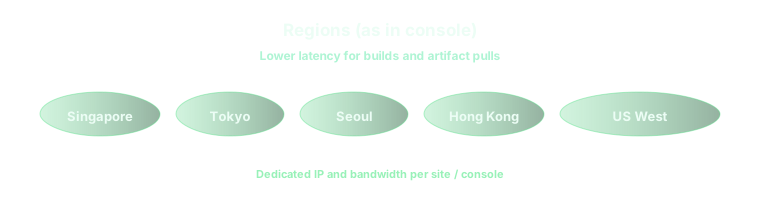
vpszap is an AI developer infrastructure platform: beyond cloud Mac, you can choose GPU VPS / Cloud GPU for llm hosting—RTX 4090-class for 7B–13B quants, A100-class for larger weights or more parallel streams. After provisioning, run ollama pull and /api/tags from this article, then add instances when benchmarks justify it. Place inference near your app (Singapore, Tokyo, Seoul, Hong Kong, US East/West—see console). Start from Pricing, Configure & Order, or the vpszap homepage for GPU VPS and AI inference hosting—not a GPU-less Linux VPS meant for WordPress.
