To run Stable Diffusion XL, Flux.1, and similar image workflows on infrastructure you control, the mainstream choice in 2026 is still ComfyUI: node graphs version cleanly, custom nodes are mature, and the same GPU VPS can host queues and API wrappers. This guide targets cheap GPU VPS / Cloud GPU for ComfyUI hosting: decide whether self-host beats per-image APIs, size VRAM, complete a copy-paste CUDA / Docker acceptance checklist, and compare monthly GPU rent to Midjourney, Replicate, and similar services—with a parameterized formula, not invented vpszap list prices.

Who should run ComfyUI on a GPU VPS (private assets, batch renders, automation vs per-image APIs)
Self-hosted ComfyUI on a GPU server fits when: (1) brand assets, reference faces, and e-commerce SKU images must not leave your boundary—private image generation and audit matter; (2) daily banners, posters, and A/B image sets dominate and batch automation can queue; (3) fixed workflows (ControlNet, IP-Adapter, LoRA stacks) must stay version-locked instead of silent upstream model swaps; (4) n8n or custom pipelines call the ComfyUI HTTP API and monthly image count makes per-image API bills climb linearly.
Midjourney, Replicate, and commercial APIs still win when monthly output is only a few hundred images, nobody will maintain GPU drivers and model libraries, or you want the newest closed aesthetic models without caring about workflow reproducibility. Boundary: SD 1.5 at low resolution can be tried on 12GB cards, but full-precision Flux and stacked ControlNet eat VRAM fast—this article assumes ComfyUI + NVIDIA GPU, not a GPU-less WordPress VPS. Footnote: if the same host also runs Ollama for prompt expansion, see cheap GPU VPS for Ollama (VRAM and cost)—do not conflate that guide with this image workflow.
VRAM vs workload table (SDXL, Flux, ControlNet, IP-Adapter overhead)
Image VRAM pressure comes from UNet/DiT weight precision + text encoders + resolution + batch + stacked nodes. The table below reflects common 2026 tiers (single GPU, ~1024×1024, batch=1); validate peaks with nvidia-smi. Flux is far larger than SDXL—do not reuse “8GB SD era” assumptions.
| Workload | Precision / form | Suggested VRAM (single job) | Typical cloud SKU | If VRAM is tight |
|---|---|---|---|---|
| SDXL Base | FP16 | ≈ 8–10 GB | RTX 3060 12G, L4; 4090 has headroom | Lower resolution; SDXL Turbo; fewer steps |
| SDXL + ControlNet | Single CN | +3–5 GB | ≥ 16 GB safer | Disable extra CN; load serially |
| Flux.1 Schnell | FP8 / quant | ≈ 12–16 GB | RTX 4090 24G | GGUF/NF4; lower resolution |
| Flux.1 Dev | FP16 | ≈ 22–24 GB+ | RTX 4090 24G (maxed), A100 40G | Use Schnell; FP8 T5; CPU offload |
| Flux Dev + IP-Adapter | Reference image | ≈ 24 GB+ | 4090 / A100 | Shrink reference; lighter adapter |
| Queue concurrency (2+ jobs) | — | +20–40% on peak | A100; multi-instance | Serial queue; horizontal scale |
RTX 4090-class cheap GPU VPS is the sweet spot for most ComfyUI GPU VPS teams: 24GB comfortably runs full SDXL stacks and light Flux (FP8/quant)—common in stable diffusion vps and comfyui hosting searches. A100-class Cloud GPU is for Flux Dev full precision, multiple ControlNet stacks, or ~200+ images/day with concurrency. Downgrade order: lower resolution → fewer steps → Schnell/SDXL → quant weights → disable stack nodes → split queues.
Docker and bare metal: two ComfyUI install paths
Path A: bare-metal Linux + NVIDIA driver
- Provision a GPU instance; plan ≥ 200GB disk—checkpoints and LoRA libraries grow fast.
- Accept with
nvidia-smi(GPU model, driver, total VRAM). git clone https://github.com/comfyanonymous/ComfyUI.git && cd ComfyUI- Python venv + deps:
pip install -r requirements.txt(per repo). - Weights: SDXL/Flux checkpoints in
models/checkpoints, VAE inmodels/vae, LoRA inmodels/loras. - Dev start:
python main.py --listen 0.0.0.0 --port 8188; production needs reverse proxy, TLS, and auth—do not expose 8188 on the public internet raw. - Custom nodes:
cd custom_nodes && git clone <repo>; restart and check logs for import errors.
Path B: Docker + NVIDIA Container Toolkit
- Install
nvidia-container-toolkit;nvidia-ctk runtime configure --runtime=docker; restart Docker. - Example (image name per your chosen community Dockerfile):
docker run -d --gpus=all -p 8188:8188 -v /data/comfyui/models:/app/models -v /data/comfyui/output:/app/output --name comfyui <image> - Probe: browser or
curl http://127.0.0.1:8188/system_stats—confirm GPU is visible. - Logs:
docker logs -f comfyui; on OOM, check VRAM peak before changing the workflow.
Volume mounts, health checks, and “process up but WebUI 502” debugging mirror OpenClaw Docker Compose deployment troubleshooting—apply the same layered mindset on Linux GPU + ComfyUI.
Performance and cost: seconds/image benchmark and per-image API break-even
Lightweight benchmark (fixed prompt / resolution)
# 1) VRAM baseline
nvidia-smi --query-gpu=memory.used,utilization.gpu --format=csv -l 1

# 2) Run the same ComfyUI workflow JSON 3×; record wall time (sec/image)
#    Suggested: SDXL 1024×1024 steps=25; Flux Schnell steps=4 (per your nodes)

# 3) If you expose the queue API
curl -s -X POST http://127.0.0.1:8188/prompt -H "Content-Type: application/json" \
  -d '{"prompt":{...}}'  # workflow JSON from your export
Log three numbers: cold-start first image, steady seconds/image, and whether queue concurrency = 2 OOMs. Same-machine comparisons beat leaderboard claims.
Monthly cost framework (fill your own prices)
Let G = GPU monthly rent (or $/GPU-hour × 730), E = power/storage overhead, S = large disk amortization for model libraries. Per-image API spend ≈ N × C where N is monthly images and C is $/image (convert Midjourney subscriptions or Replicate per-second/step to $/image).
Break-even (rough):When G + E + S < N × C and utilization covers idle time, self-hosted Stable Diffusion cloud GPU wins; otherwise APIs—or hybrid (API for exploration, ComfyUI for batch finals).
| Scenario | Monthly images (illustrative) | Tendency | Notes |
|---|---|---|---|
| Solo creator | < 300 | Subscription API or short GPU trial | Fixed rent may idle |
| Small team, ~200/day | ≈ 6,000/mo | Single 4090 + ComfyUI queue often wins | Night batch raises utilization |
| E-commerce poster pipeline | 10,000+ | Multi-instance + object storage | Include CDN/disk in S |
| Flux Dev FP16 + multi ControlNet | Medium–high | A100 tier + strict serial queue | OOM + ops cost both spike |
Placeholder math (replace quotes): if G = $300/mo, N = 2,000 images, API C ≈ $0.05/image → API ≈ $100—cash favors API but excludes asset residency and workflow locking. At N = 8,000, API ≈ $400 and a cheap GPU server starts to compete—if you will run drivers, model libraries, and security. $/1k images: (G+E+S) / (N/1000), beside API price tables, for a decision matrix.
Production hardening: queue, disk headroom, systemd, retries, logs
- Queue:One external entry; serialize or cap concurrency at 1–2 to avoid loading multiple large models and OOMing.
- Disk:Alert when
models/oroutput/drops below ~15% free; SDXL + Flux dual stacks can fill hundreds of GB. - systemd:
Restart=on-failure; backupcustom_nodesand workflow JSON before upgrades. - Logs:Record model name, resolution, steps, node versions; OOM postmortems should match the last loaded checkpoint.
- Auth:Reverse-proxy Basic Auth or OAuth; port 8188 scanners are common—never bind 0.0.0.0 without protection.
- Retries:API layer returns 503 on timeout and re-queues—do not block the UI thread indefinitely.
Error matrix (CUDA, OOM, custom nodes, model paths)
| Symptom | Likely cause | Fix order |
|---|---|---|
nvidia-smi shows no GPU | Driver missing, GPU not attached | Console GPU SKU → reinstall driver → ticket |
| ComfyUI runs on CPU | Wrong PyTorch build; container without GPU | GPU torch build; check --gpus=all |
| CUDA out of memory | Flux FP16, multiple ControlNet, high res | Lower res → quant → disable CN → SDXL |
| Checkpoint not found | Path or filename case mismatch | Align models/checkpoints; refresh list |
| Custom node import fails | Node vs ComfyUI version clash | Disable nodes one by one; check GitHub issues |
| Very slow, GPU 0% | CPU fallback; download/VAE on CPU | Check system_stats; confirm weights on GPU |
| Abused public WebUI | 8188 exposed without auth | Security group allowlist + proxy auth |
When a cheap GPU VPS is the wrong default (boundaries)
- Very low monthly output and no Linux operator—per-image APIs save time vs drivers.
- Flux Dev FP16 + parallel ControlNet on one 4090—upgrade SKU, do not force the cheapest VPS.
- Shared vGPU with inflated VRAM claims—if acceptance fails, change tier or region.
- Workflow depends on unlicensed closed nodes—evaluate compliance and API alternatives together.
FAQ
- ComfyUI vs Automatic1111 WebUI? ComfyUI suits reproducible, API-driven production; WebUI suits interactive trial-and-error. Hosting scenarios usually pick ComfyUI.
- Can an rtx 4090 vps run Flux? Quantized/Schnell tiers usually yes; Dev FP16 needs full 24GB and minimal stack nodes.
- Minimum gpu server for ai art? SDXL: ≥ ~12GB usable VRAM; Flux production: 24GB+; high concurrency: A100-class.
- How to accept AI image generation hosting?
nvidia-smi, fixed-workflow seconds/image, and queue concurrency OOM test before cutover. - cloud gpu vs cheap gpu vps? GPU-hour pools vs monthly whole cards—pick by 24/7 residency vs intermittent batch.
Related reading
Shared GPU stack acceptance (drivers, VRAM, rent math): 2026 cheap GPU VPS for Ollama. Container layering and probes: OpenClaw Docker Compose deployment troubleshooting.
Pick vpszap GPU by resolution and daily volume—pass ComfyUI acceptance first
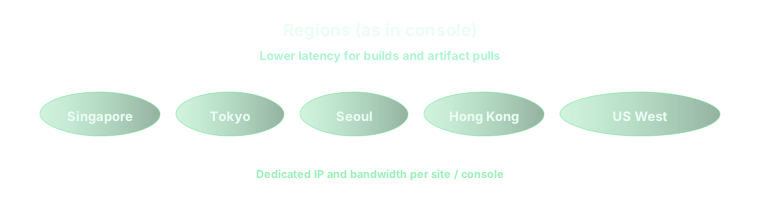
vpszap is an AI Developer Infrastructure Platform (not traditional shared hosting without GPUs): choose GPU VPS / Cloud GPU by target resolution, batch size, whether you run full-precision Flux, and queue concurrency—RTX 4090-class for SDXL and light Flux, A100-class for Dev FP16 or stacked ControlNet. In multi-region deployments, place ComfyUI WebUI/API near designers or automation pipelines to cut upload and poll latency. After provisioning, complete nvidia-smi, fixed-workflow seconds/image, and queue tests from this article before scaling parallel instances. See Pricing, Configure & Order, and the vpszap homepage for GPU VPS and AI image generation hosting—not a GPU-less VPS for WordPress.
