Parallel macOS compiles feel fast until theSSD “water level”climbs: DerivedData, local caches, container layers, and temp trees all grow with job concurrency, and the pain shows up asqueue stalls, flaky tests, and emergency disk triage— usually at night in another time zone. This FAQ is a practical forecast for 2026 teams sizingdedicated Mac mini M4hosts acrossSingapore, Tokyo, Seoul, Hong Kong, US East, and US West, comparing16GB / 256GB versus 24GB / 512GB, sketching when1TB or 2TB NVMe expansionbeats more machines, and separatingparallel seats on one boxfromadding another dedicated seatso you do not pay twice for the wrong bottleneck.

1. Read the disk water level before you raise parallelism
Healthy CI treats free space like aleading indicator, not a lagging alarm. Before you double-jflags or add another self-hosted runner on the same host, capture aworst-day snapshot: peak concurrent jobs, largestxcodebuildor Bazel working set, Docker images you refuse to prune, and any local registry mirrors. Add a margin for macOS, crash logs, and the next minor Xcode bump. If your forecast already lives within20–30% freeof a 256GB or 512GB root volume, you are one bad merge away from thrashing — NVMe is fast, butfull disks still destroy tail latencybecause APFS metadata updates and swap pressure interact badly with bursty compiles.
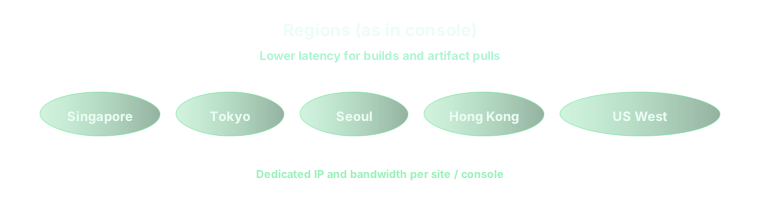
2. Six metros: same SKU, different pressure on caches and queues
Region choice does not change thebytes per compile, but it changes how often youre-fetchartifacts across oceans. A team anchored inTokyo, Seoul, Singapore, or Hong Kongusually co-locates npm, Maven, and internal Docker registries in APAC; their cloud Mac sees fewer giant network stalls, so disk churn looks “CPU bound.” A team on aUS East or US Westnode pulling the same monorepo from APAC may instead push repeated cache misses into the SSD. Run one controlled build in each candidate metro and comparecache hit rate plus peak disk footprint— the numbers should drive region, not office politics.
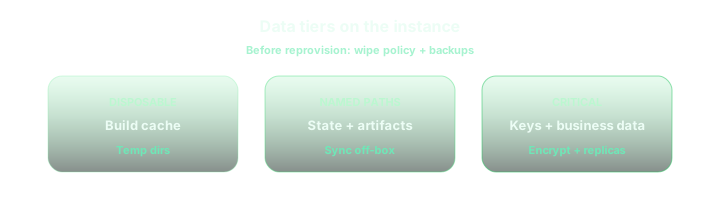
3. Mac mini M4 16GB / 256GB versus 24GB / 512GB under parallel compile
The entry16GB RAM / 256GB SSDprofile fits single-flight iOS builds, smaller Swift packages, and agents that offload heavy objects to remote caches. It becomes fragile when you runtwo compile-heavy jobs at onceon one host: memory pressure spills into compression and swap-like behavior, while disk pressure spikes from duplicated module caches. The24GB / 512GBstep is usually cheaper than debugging flaky CI because it buysparallel linker and test phaseswithout constantly evicting DerivedData. If you will pin multiple long-lived runners to one machine, start at 24GB / 512GB and treat 16GB / 256GB as ashard nodein a pool instead of a “do everything” boss.
4. 1TB / 2TB expansion versus parallel seats versus adding another seat
When forecasts show sustained usage above roughly400–450GBon a 512GB class machine, you are in the trade space whereNVMe expansionoften beats more humans writing janitor scripts. A1TBadd-on keeps most monorepos, multi-Xcode side installs, and generous Bazel output bases on one host;2TBis for teams that also keep large media fixtures, many simulator runtimes, or fat Docker layers that must stay warm. By contrast,parallel seatson the same Mac — more runner slots than the machine can honestly service — only help if CPU and disk headroom already exist; otherwise you createinternal queuingthat looks like an infra outage. Asecond dedicated seat(another Mac) is the right lever when you needisolationbetween release and experiment lanes, different macOS images, or independent failure domains, not when a single box simply needs another hundred gigabytes of fast NVMe. Pair this decision with the deep dives on cache namespaces and artifact layout. Learn more: Bazel and Gradle remote builds on a cloud Mac pool in 2026. For GitHub Actions wiring across primary and follower runners in the same six metros, see the companion matrix on Git, caches, and disks. Learn more: GitHub Actions macOS runner FAQ for six regions.
5. Checklist so you do not rent the wrong shape
- Have you loggedpeak disk usageduring the busiest merge window, including simulators, Docker, and local caches, not only a single clean build?
- Does raising parallelism on one host keepCPU busyor immediately spikememory and disk— if the latter, fix tiering before you add runner slots.
- AcrossSingapore, Tokyo, Seoul, Hong Kong, US East, and US West, which two regions give acceptableartifact RTT plus stable cache hit ratefor your real registries?
- Would1TB or 2TB expansionremove recurring cleanup work, or do you actually needanother dedicated Mac seatfor isolation and blast radius?
On vpszap, disk and parallelism track real hardware
Forecasting SSD headroom only matters if the machine underneath ispredictable. vpszap rentsphysical Apple Silicon Mac minisystems withno virtualization layerbetween you and the NVMe — the CPU, RAM, and disk are entirely yours, which keeps parallel compiles from fighting mystery neighbors. Instances activate infive minuteswith bothSSH and VNC, and you can align bursts todaily or weeklyrent or steady work tomonthly or quarterlycycles withno long-term contract, and pick amongSingapore, Tokyo, Seoul, Hong Kong, US East, and US Westfor latency that matches developers and artifact paths.
If you want this playbook running on hardware that feels like a lab Mac under your desk — only in a closer data center — start from thevpszap cloud Mac mini homepage.
