In 2026, “cloud Mac” is no longer only a CI badge. Engineers are parkingdaily interactive work—editors, terminals, simulators, and occasional GUI debugging—ondedicated Mac mini M4hosts inSingapore, Tokyo, Seoul, Hong Kong, US East, and US West. The real question is whether your network path and hardware shape make that feel like a desk, or like a bad video call. This FAQ lays out practicallatency and resource baselines, compares16GB/256GB with 24GB/512GB, explains when1TB or 2TB NVMe expansionbeats spinning up another seat, and closes with ashort vs mid-term rent vs buy matrixso finance and platform teams can align on one page.

1. Interactive remote dev: latency is the product
Batch builds tolerate seconds of slack; humans notice jitter on every keystroke. Treatround-trip timeandpacket lossas first-class metrics: measure from your chair to the cloud host with the same VPN, DNS, and split tunnel you use in production. As a working baseline, aim for stable sub-80 ms RTT for SSH-driven editors and sub-50 ms if you lean on GUI remoting or frequent file sync. Above ~120 ms sustained RTT, expect visible lag in rich IDEs unless you aggressively cache locally and keep diffs small.
2. Six-region cheat sheet (Singapore, Japan, Korea, Hong Kong, US East, US West)
All six footprints exist so you can co-locate compute with people and registries. APAC teams in Malaysia or southern China often land onSingapore or Hong Kong; Korean game studios naturally biasSeoul; Japanese enterprises with strict data routing frequently preferTokyo. US builders on Eastern seaboard contracts should validateUS East, while Pacific teams and many CDN-heavy workflows gravitate toUS West. None of this replaces a one-day proof: run the same clone, build, and UI smoke from two candidate regions and keep the winner.
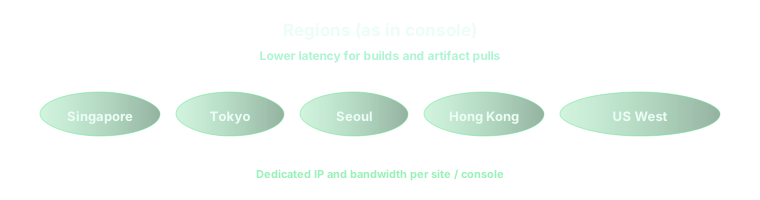

3. Memory and disk floors: 16GB/256 vs 24GB/512, then 1TB vs 2TB
The16GB RAM / 256GB SSDtier is honest for a single active engineer doing iOS or macOS service work with modest simulators and disciplined DerivedData hygiene. Step to24GB / 512GBwhen you routinely run multiple simulators, heavy SwiftUI previews, parallel test shards, or local Docker-like toolchains that fight for RAM. Storage math is cruel: modern Xcode trees, caches, and container layers devour hundreds of gigabytes faster than spreadsheets predict. If you are already planning external cleanup scripts, jump straight to1TB NVMe; choose2TBwhen you host large monorepos, keep multiple Xcode betas, or share the machine between CI and ad-hoc GUI sessions without weekly disk fires.
4. Concurrent seats: parallel Macs vs one bigger box
Two small Macs beat one large Mac when your queue isparallelizable—separate PRs, independent signing lanes, or isolated OpenClaw-style gateways. One larger Mac wins when workloads arememory-bound single processesor when licensing makes duplicate seats expensive. If humans and automation collide on the same host, budget either time-shifted schedules or separate machines so CI spikes do not steal RAM from an active pairing session. For queue design patterns across borders, see 2026 Cross-Border Teams: Cloud Mac Seat Rotation and Parallel Queue Design — Six Regions, Mac mini M4 16GB/256 vs 24GB/512, 1TB/2TB Expansion, and Short vs Mid-Term Rental FAQ. For cache-heavy remote builds, Bazel & Gradle Remote Builds on a Cloud Mac Pool in 2026: Remote Cache Hit Rate, NVMe Headroom & Enterprise Parallel CI — FAQ walks NVMe headroom in more depth.
5. Short vs mid-term rent vs buy matrix
Rent (days to a few months)when you are proving a workflow, onboarding contractors, or bridging a hardware shortage. The break-even line moves with Apple list prices and import duties, but renting stays attractive while requirements churn weekly.Stretch to mid-term rent (multi-month)when you need identical images across regions, predictable OpEx, and no spare parts closet.Buywhen a fixed team sits in one city, latency to any cloud POP is permanently poor, and you can amortize hardware over eighteen to thirty-six months without chasing beta macOS images every quarter.
- Under six weeks of uncertain scope → favor rent; keep images reproducible.
- Repeating six-month programs with the same SKU → compare mid-term rent TCO with leased metal.
- Regulated data must stay on-prem → cloud Mac supplements, not replaces, on-site kits.
- Need burst + baseline together → one rented anchor Mac plus ephemeral seats.
On vpszap, the decision fits execution
The matrix above only helps if you can provision what you modeled. vpszap offersphysical M4 Mac miniservers—no virtualization layerbetween you and Apple Silicon—withdedicated CPU, RAM, and NVMe. Orders typically reachSSH and VNC credentials in about five minutes, billedby the day, week, month, or quarterwithno long-term contract, across the same multi-region footprint discussed here. That combination is what turns a spreadsheet debate into a measured trial you can hand to security and finance.
When you are ready to place latency and disk evidence next to pricing, vpszap cloud Mac mini is the straight-line path from this FAQ to a live machine.