A single Mac running everyXCTest UItarget in one job is the fastest way to miss release windows. Teams that need sub-hour feedbackshard suitesacross dedicated hosts, each running paralleliOS Simulatorson native macOS. When your fleet spansSingapore, Japan, Korea, Hong Kong, US East, and US West, the pain is usuallysimulator runtime caches, CoreSimulator disk growth, and memory contention—not “Xcode is slow.” This FAQ maps how to split metros, sizeMac mini M4hosts, wirexcodebuildparallel testing, and choose1TB / 2TBexpansion versus extra concurrent seats across short and mid-term rentals.
1. Sharding XCTest UI: what to split and what to parallelize on one host
Separate three layers:shard across machines(different test plans or target subsets per Mac),parallelize within a machine(multiple simulators via-parallel-testing-enabledand-maximum-parallel-testing-workers), andserialize flaky flows(login, payments) into their own lane. A practical split is one shard per metro or per squad, each running 2–4 simulators on an M4 depending on app weight. Pin onegolden Xcode + iOS runtimeper release line; mixing patch Xcode versions across shards produces “passes on shard A, fails on shard B” with no code change.
xcodebuild test \
  -scheme MyAppUITests \
  -destination 'platform=iOS Simulator,name=iPhone 16,OS=18.4' \
  -parallel-testing-enabled YES \
  -maximum-parallel-testing-workers 3 \
  -only-testing:MyAppUITests/SmokeTests
For CI orchestration (GitHub Actions, Bitrise, Jenkins), exportTEST_PLANor-only-testinglists per shard and aggregate JUnit in your dashboard. For build-only hosts that should never touch simulators, seeLearn more: Cloud Mac disk headroom and parallel build tiering.
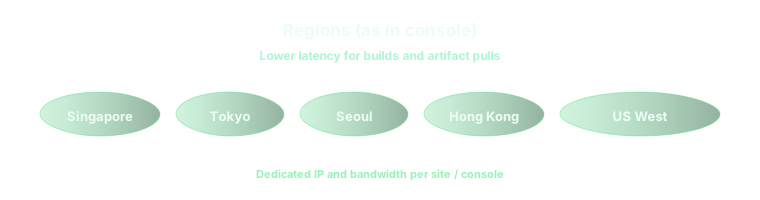
2. How to split Singapore, Tokyo, Seoul, Hong Kong, US East, and US West
Assign regions bywho SSH/VNCs in to debug flakes, not by logo placement.Singapore or Hong Kongworks as an APAC hub when most iOS engineers sit in Southeast Asia or Greater China.Tokyoanchors Japan-heavy squads;Seoulwhen Korean locale, keyboards, or carrier mocks matter.US Eastfits East Coast product teams and nightly cron;US Westpairs with Bay Area CI that already peaks Pacific evening. Run a one-week pilot: run the same shard definition in two candidate metros and compare medianqueue + test wall-clockincluding artifact upload. Label hosts “UI-only” vs “build+UI” so a compile farm does not fill disk with CoreSimulator data.
3. Mac mini M4 16GB / 256GB versus 24GB / 512GB for simulator farms
16GB / 256GBhandles a lean shard: one scheme, 2 parallel simulators, aggressivexcrun simctl delete unavailableand weekly DerivedData wipes. It struggles when you keep multiple iOS runtimes, large app bundles, and screen recordings enabled.24GB / 512GBis the default for 3–4 parallel UI workers plus an engineer on VNC reproducing a flake while CI runs. Memory prevents swap when Simulator + Xcode + screen capture stack; SSD holds runtime caches and test artifacts. Simulator data grows faster than compile artifacts—budget20–40 GB per runtimeyou keep installed. If you are sizing disk across many shards, read the disk tiering FAQ before buying seats.
4. 1TB / 2TB expansion versus concurrent seats
NVMe expansion wins whenone hostmust retain many iOS runtimes, video attachments, and multi-week test logs for audit. Extraconcurrent seats(additional dedicated minis) win when squads collide on Friday cutovers or when you want true isolation (shard A cannot kill shard B’s simulators). Short-term rentals favorburst seats + scripted cleanup: nightlysimctl shutdown all, prune unavailable devices, rsyncxcresultbundles to object storage, delete local results older than N days. Mid-term programs often useone 24GB + 1TB hybridfor repro + a fleet of 16GB UI-only shards. Never run production archives on the same disk as a heavy simulator farm without quotas.
- Capparallel workersto what RAM allows—watch
memory_pressureduring peak UI runs. - Version-pinSimulator runtimesin Ansible or your image script so shards stay aligned.
- Storeflake baselinesper shard; a regional DNS or locale difference is easier to spot when metros are comparable.
5. Short-term versus mid-term rental posture
Release-week UI bursts rarely justify buying metal—rentday / weekcycles, snapshot a “simulator-ready” image (Xcode, runtimes, certs), and tear down when the branch ships. Mid-term (8–12 weeks of parallel feature work) benefits frommonthlyanchors on 24GB hosts because re-provisioning runtimes and re-trusting keys costs more than rent. Document arunbookper region: shard map, max parallel workers, who may VNC, and wherexcresultartifacts land. That discipline beats chasing the last simulator gigabyte.
On vpszap cloud hardware, shards stay predictable
UI parallelism needsdedicated Apple Siliconwith honest disk—not shared VMs that throttle IO when three simulators boot. vpszap providesphysical M4 Mac minihosts, roughlyfive-minute activation, andSSH + VNCfor flake triage. Plans bill byday, week, month, or quarterwith no long-term contract, across the metros in this article—spin up one shard per region or burst extra seats for a release train.
To run the workflow above on hardware that behaves like a machine under your desk—in Singapore, Tokyo, Seoul, Hong Kong, US East, or US West—start from thevpszap cloud Mac mini homepageand mirror the same image in every region you activate.
