With Apple Silicon now mainstream, Xcode still runs only on macOS, and Flutter / React Native iOS builds, TestFlight uploads, and macOS CI all depend on real Mac hardware or compliant cloud Mac / Mac VPS hosts. Buying a Mac mini locally is expensive; colocation adds ops overhead—so developers search for cheapest mac vps, cloud mac pricing, macstadium alternative, and aws ec2 mac alternative. What they usually need is not a cheap Linux VPS but infrastructure that supports interactive Xcode, self-hosted runners, and hourly or daily elastic billing. This guide compares leading Mac VPS / cloud Mac / Mac server hosting options in 2026 on pricing tiers, chip generations, Xcode compile experience, regions, and CI fit. Dollar figures are order-of-magnitude public pricing; confirm on each vendor’s site before you order.
We compared the best Mac VPS providers in 2026 based on pricing, Apple Silicon performance, availability, and developer experience.
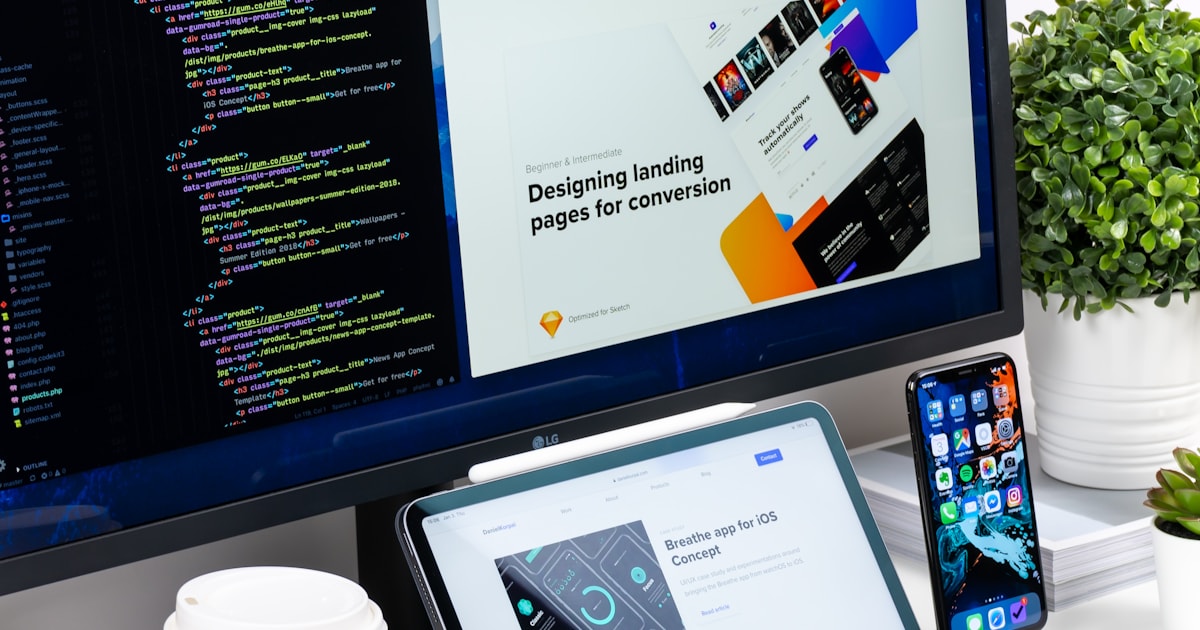
Why cloud Mac became a developer necessity in 2026
Three demand layers push mac vps from niche to mainstream:
- iOS / Apple platform development: signing, Archive, Simulator, and notarization all require the macOS toolchain.
- Cross-platform mobile teams: Flutter and React Native UI work on Windows/Linux, but iOS artifacts must be produced on Mac.
- CI/CD and temporary seats: teams that build only a few times per month want xcode server or self-hosted macos runner capacity without buying hardware.
No amount of cheap x86 VPS savings replaces those workflows. Position your evaluation around Apple Developer Infrastructure / Cloud macOS, not generic “cheap VPS” comparisons—that is also how vpszap frames content for high-intent technical search.
2026 Mac VPS / cloud Mac pricing comparison (overview)
The table below summarizes entry-level monthly rent tiers, typical chips, and common developer scenarios—useful for featured snippets and AI overviews. $ symbols are relative bands, not live USD quotes.
| Provider | Typical chip | Entry RAM | Monthly tier | Best for |
|---|---|---|---|---|
| MacStadium | M2 / M2 Pro | 8–16GB | $$$ | Enterprise compliance, dedicated long-term estates, large iOS CI |
| AWS EC2 Mac | M2 Pro and newer | 16–24GB+ | $$$$ | Teams already deep in AWS needing VPC/IAM integration |
| Scaleway | M1 / M2 | 8GB | $$ | EU nodes, budget-sensitive light builds |
| vpszap | M4 / M4 Pro | 16–24GB+ | $$ | APAC / US developers, daily rental, remote Xcode + VNC |
| Own Mac mini + colo/home | M1–M4 | Model-dependent | $$ (power + ops) | DIY teams willing to own networking and backups |
How to choose by platform: price, silicon, Xcode, and region
MacStadium (the usual macstadium alternative benchmark)
A long-standing Mac server hosting vendor with mature docs and SLAs—strong when iOS builds are already a production line. Strengths: compliance narrative, dedicated clusters, multi-year contracts. Weaknesses: higher entry cost and monthly minimums; solo developers or two-week MVP trials often find it heavy. Searching macstadium alternative usually means you want shorter terms and lower experiment cost on cloud Mac.
AWS EC2 Mac (aws ec2 mac alternative)
Best when your network, IAM, S3 artifacts, and CodePipeline already live in AWS. Apple-silicon instance types improved Xcode compile experience, but total cost (instance + storage + egress + minimum lease) stays high for small teams. Occasional packagers sometimes do better with shared CI minutes; teams needing all-day interactive Xcode + Simulator often prefer a dedicated cloud Mac.
Scaleway and other EU Mac clouds
Often cited in EU circles as affordable mac mini hosting; remaining M1 stock still handles light xcodebuild jobs. If your developers sit in China, Southeast Asia, or the US coasts, SSH/VNC RTT from EU may underperform nearer APAC/US nodes—Flutter/React Native artifact uploads amplify latency.
vpszap (Apple Silicon developer infrastructure)
Positioned as Cloud macOS, not generic VPS: dedicated physical Mac mini M4 / M4 Pro in Singapore, Tokyo, Seoul, Hong Kong, US East, and US West with SSH + VNC and daily rental. Fits developers combining remote Xcode, temporary CI seats, and local LLM experiments on the same class of host. See the pricing page; pair with building iOS on Windows without a local Mac for workflow context.
Own Mac mini + rack/home (Hetzner cabinet + DIY)
Hardware CapEx can look attractive, but you own power loss, backups, public exposure, OS upgrades, and Apple ID/certificate hygiene. Works for studios with ops staff; poor fit for “ship this week, maybe idle next week” elasticity.
Technical comparison: Xcode, Flutter, CI/CD, and latency
| Dimension | Enterprise hosting (MacStadium / AWS) | Developer cloud Mac (e.g. vpszap) | DIY Mac mini |
|---|---|---|---|
| Apple Silicon generation | M2-heavy, fixed SKUs | M4 / M4 Pro, suited to Xcode 16+ | Whatever you purchased |
| Xcode / clean build | Stable, standardized CI | Dedicated machine, fewer noisy neighbors; VNC for UI debugging | Full control, no SLA |
| Flutter / RN iOS packaging | Long-lived runners | Short rental + multi-region RTT trials | Single-machine teams |
| Interactive Simulator | Possible; enterprise network policies add friction | VNC direct; APAC-friendly latency | Fastest when local |
| Lease flexibility | Monthly / annual bias | Daily / weekly / monthly / quarterly | One-time CapEx |
Practical advice: run a real-repo clean build + Archive and log minutes plus office-to-node ping/RTT—more reliable than chasing cheapest mac vps listicles. 16GB suits light apps; Flutter monorepos or parallel Simulators often need 24GB+ and larger SSD.
Who should use what (quick fit table)
| Persona | Likely choice | Why |
|---|---|---|
| Solo iOS developer | Daily-billed cloud Mac M4 | Low experiment cost, no hardware purchase |
| Flutter / RN small team | APAC / US dedicated M2+ host | Packaging and artifact upload are latency-sensitive |
| Enterprise compliance + long CI | MacStadium / AWS EC2 Mac | Contracts, audit trails, existing cloud IAM |
| Unattended CI/CD only | Dedicated Mac runner + cache disk | Queue stability beats absolute lowest price |
| One-week contractor / test sprint | Hourly or daily Mac VPS | Stop when done; avoid CapEx |
Common mistakes (boundary conditions)
- Treating a Windows remote desktop VPS as mac vps—official Xcode will not run there.
- Optimizing only headline monthly rent while ignoring minimum lease, egress, and disk expansion fees.
- Running Xcode 16-heavy projects on aging M1 hosts where clean builds balloon.
- Spreading signing keys across ephemeral Macs without an offboarding trail.
Frequently asked questions (FAQ)
Which Mac VPS is the cheapest?
There is no universal winner: EU M1 entry tiers often look cheap on paper, but latency and lease terms may not match your team. APAC developers should compare effective monthly cost after region and minimum duration, not list price alone.
Can I run Xcode on a cloud Mac?
Yes—you need real macOS on Apple Silicon or Intel Mac hardware, then SSH for xcodebuild or VNC for the Xcode GUI. See remote Xcode workflows from Windows.
Is AWS EC2 Mac worth it?
Worth evaluating if you are all-in on AWS and need unified billing and compliance; for occasional iOS packaging, daily cloud Mac or Xcode Cloud may cost less.
What are MacStadium alternatives?
Developer-oriented cloud mac with daily M4 Mac mini rental, self-hosted runner clusters, and shorter contracts are common paths.
What Mac server should a Flutter team pick?
Prefer an M2/M4 dedicated host near developers with 24GB+ RAM and DerivedData on local SSD; one node can serve iOS and macOS builds for cross-platform teams.
Can I build iOS apps remotely?
Yes: code lives in Git, the Mac node pulls sources → Archives → exports IPA → uploads to TestFlight; a Windows laptop drives the Mac via SSH or remote desktop.
Conclusion: match scenario first, benchmark for one day
Choosing Mac VPS / cloud Mac in 2026 is less about brand marketing than silicon generation, lease flexibility, regional RTT, and whether you need interactive Xcode. Long-running enterprise CI may fit MacStadium or AWS; indie and distributed teams can trial daily M4 cloud Mac with a real project clean build before committing monthly.
vpszap offers dedicated Mac mini M4, six regions, SSH/VNC, and transparent billing as an Apple Developer Infrastructure Platform. Next steps: open pricing, or read Xcode Cloud vs dedicated six-region cloud Mac CI pricing FAQ for CI decision support.
