If your daily driver is Windows but you ship Flutter, React Native, or native Android, 2026 still enforces one rule: iOS compile, code signing, and uploads to App Store Connect / TestFlight must run on macOS + Xcode—there is no official Xcode for Windows. Searches for build ios app on windows, run xcode on windows, and ios development without mac need an interactive remote Xcode path, not another “buy a Mac” sermon or a GitHub Actions YAML you cannot click through. This FAQ compares Hackintosh, VMs, CI-only builds, and interactive cloud Apple Silicon, with a six-step checklist from clone to Archive, signing, and TestFlight, reproducible latency/build benchmarks, and compliance boundaries. The spine is Windows developers using remote Xcode daily—not a repeat of our Xcode Cloud cost matrix or self-hosted Runner wiring articles.

Introduction: why Windows teams stall on signing and Simulator
You can draft SwiftUI on Windows, run early flutter build ios prep, or use cross-platform editors—but Simulator UI, device debugging, Archive → .ipa, distribution signing, and Transporter / altool uploads all live in Apple’s macOS toolchain. Typical blockers: (1) no Mac to open Xcode Capabilities or manage Provisioning Profiles; (2) team certs trapped in a colleague’s Keychain with no safe export to Windows; (3) treating “CI green” as “ready to ship” while nobody can fix Storyboard or Organizer errors interactively.
Audience: indie devs, cross-platform frontends, agencies, students, and startup CTOs who will not buy hardware for a few monthly archives but need short-term, compliant macOS capacity. Unattended-only builds can use macos-latest on GitHub Actions; this article focuses on you on Windows, hands on a remote Mac running Xcode.
Why you still cannot “run Xcode on Windows” in 2026
Apple ships no Windows Xcode. The Xcode support page lists macOS only (e.g. Xcode 16 expects macOS Sonoma 14.5+—verify the exact minor for your Xcode build). iOS SDKs, codesign, notarytool, and Simulator runtimes bind to macOS on Apple Silicon or Intel—not portable Windows binaries.
Community “Xcode on Windows” recipes boil down to remote desktop to a Mac, unsupported VMs / Hackintosh, or CI that only compiles. visionOS and several Xcode 16 features assume Apple Silicon Macs; Predictive Code Completion and some capabilities are limited in VMs and may require physical Apple Silicon with enough unified memory per Apple docs. For 2026 toolchains, remote cloud Mac on M4 beats aging Intel Hackintosh boxes.
How the stack works: toolchain, certs, provisioning, remote sessions
Toolchain layers
- Source & deps: edit on Windows; run
pod install/ SPM resolution on macOS to match Xcode projects. - Compile:
xcodebuildinvokes clang/swiftc against the iOS SDK—macOS only. - Sign: Development / Distribution certs + private keys in Keychain; profiles tie App ID, devices, or App Store channels.
- Ship: Archive → Organizer or
xcodebuild -exportArchive→ App Store Connect → TestFlight / review.
Remote protocols (Windows client → cloud Mac)
Common stacks: Microsoft Remote Desktop, VNC (Jump Desktop, RealVNC), or SSH + VS Code Remote / Cursor Remote for CLI-only flows. Interactive Simulator work needs a GUI channel; CLI-heavy teams can SSH + xcodebuild + fastlane. Perceived lag = RTT + encoder quality + local jitter—benchmarks below are ranges you should re-run from your office.
fastlane / match snippets (verify versions)
fastlane match development --readonly
fastlane match appstore --readonly

xcodebuild -workspace MyApp.xcworkspace -scheme MyApp \
  -configuration Release -archivePath build/MyApp.xcarchive archive

xcodebuild -exportArchive -archivePath build/MyApp.xcarchive \
  -exportPath build/export -exportOptionsPlist ExportOptions.plist
Upload TestFlight via Organizer, fastlane pilot upload, or Transporter—confirm flags in current Apple Developer Documentation.
Route matrix: Hackintosh, VM, CI-only vs interactive cloud Mac
| Route | Daily Xcode GUI | Simulator / device | Signing compliance | Best for | Main risks |
|---|---|---|---|---|---|
| Hackintosh | Local | Driver-dependent | Non-Apple hardware; update risk | Tinkerers | macOS upgrades break; no fleet standard |
| VMware/VirtualBox macOS | Limited | Often poor | License issues common | Not production | Legal/stability; Xcode 16+ limits |
| GitHub Actions CI | No | Little interactive Simulator | Managed secrets OK | Release pipelines | Bad daily IDE; queue/minute cost |
| Interactive cloud Mac (Apple Silicon) | Yes (RDP/VNC) | Full | Dedicated licensed macOS | Windows-primary teams | Network; pick nearest region |
Rough “no Mac purchase” math: Mac mini capex + power + desk space vs cloud Mac rent × active weeks. A few archives per month often favors rent; 24/7 full-time squads may need dedicated seats—see Pricing (no invented list prices here).
Step-by-step: cloud Mac choice through TestFlight acceptance
① Pick region and Mac mini M4 tier
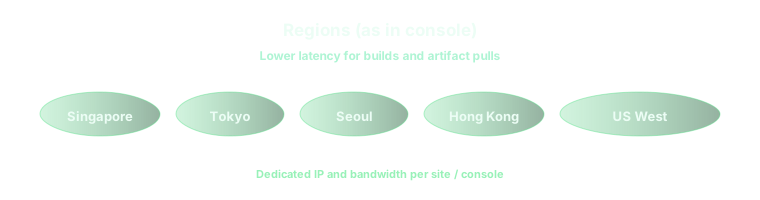
vpszap offers six dedicated Mac mini M4 metros—Singapore, Tokyo, Seoul, Hong Kong, US East, US West. APAC teams bias Singapore/Tokyo/Seoul/Hong Kong for lower RTT; North America uses US East/West. Tiers: 16GB/256GB vs 24GB/512GB; large repos or parallel Simulators may need 1TB/2TB. Budget ≥80GB free after Xcode, Simulator runtimes, and DerivedData.
② First login and Xcode CLI
- On Windows: install Microsoft Remote Desktop or Jump Desktop; store gateway credentials securely.
- On cloud Mac: App Store or
xcode-select --installfor CLI; install Xcode 16.x per Apple requirements. sudo xcodebuild -license accept;xcode-select -s /Applications/Xcode.app/Contents/Developer- Xcode → Settings → Accounts: add Apple ID / team.
③ Clone and CocoaPods / SPM
git clone git@github.com:your-org/your-ios-app.git
cd your-ios-app
pod install
open YourApp.xcworkspace
Edit on Windows and sync via Git, or clone directly on the Mac. Use deploy keys; never commit Distribution private keys.
④ Simulator vs physical device limits
Simulator runs on the cloud Mac—you view it over remote desktop. USB devices cannot attach to the cloud; register test hardware to your team profile or use devices already enrolled on the Mac. Many remote teams rely on Simulator plus TestFlight external testing. For multi-region signing lanes, see 2026 iOS Signing & Provisioning on Cloud Mac: Six-Region Parallel Integration (matrix not duplicated here).
⑤ Archive and export IPA
Product → Archive, or xcodebuild archive. Failures often trace to Team selection, Capability/profile mismatch, or SPM cache—read Organizer logs. Export with App Store Connect or Ad Hoc options; keep a checked-in ExportOptions.plist for automation.
⑥ TestFlight upload and sign-off
Organizer → Distribute → App Store Connect, or fastlane pilot upload. Confirm processing in App Store Connect; for dSYM handoff across regions, see TestFlight dSYM & crash symbolication on six-region cloud Mac. Done when the build installs on testers and crashes symbolicate.
Benchmark: interactive latency and clean build times (reproducible method)
Numbers below are example ranges from one methodology, not vpszap SLAs—re-measure on your network.
- RTT: from Windows 11, ping regional gateways; 20 samples at peak/off-peak, median band.
- Subjective GUI lag: type in Xcode on the Mac while watching character delay on Windows.
- Clean build: wipe DerivedData;
time xcodebuild … Debug buildon a ~200-file SwiftUI app, 3 runs, median.
| Windows site → node | ICMP RTT (typical) | RDP feel | Clean build 16GB M4 | Clean build 24GB M4 |
|---|---|---|---|---|
| East China → Singapore | ~60–90 ms | Daily coding OK | ~4–7 min | ~3–6 min |
| East China → Tokyo | ~50–80 ms | Daily coding OK | ~4–7 min | ~3–5 min |
| North China → Seoul | ~70–110 ms | Acceptable | ~4–8 min | ~3–6 min |
| South China → Hong Kong | ~30–60 ms | Smoother | ~4–7 min | ~3–5 min |
| US East → US East | ~10–30 ms | Near local | ~3–6 min | ~3–5 min |
| US West → US West | ~10–30 ms | Near local | ~3–6 min | ~3–5 min |
| Trans-Pacific (East China → US West) | ~150–220 ms | Poor for daily GUI | Build similar; UX bad | Same |
24GB helps most with multiple Simulators, parallel indexing, large SPM graphs—not always half the clean-build time. RTT framing also appears in cloud Mac daily dev latency & rent vs buy (2026).
Best practices: secrets, golden images, seats, disk
- Secrets: Distribution keys in team Keychain or encrypted match repo; rotate before deprovisioning cloud Macs.
- Golden image: pin Xcode minor, CocoaPods, Ruby/fastlane; upgrade on a pilot seat first.
- Parallel seats: queue Archives across machines—avoid DerivedData fights on one host.
- Disk hygiene: prune DerivedData and old Simulator runtimes; large assets via LFS or artifact storage.
- Uploads: wired network for IPA uploads; Organizer retries may not resume mid-flight.
Common failures: Keychain, arch, disconnects, disk, “CI as IDE”
- Keychain:
errSecInternalComponent—check match readonly mode and login keychain integrity. - Architectures: arm64-only deps vs legacy simulator settings; prefer arm64 Simulator on Apple Silicon hosts.
- Disconnects: reconnect VNC before force-killing Xcode; set SSH
ServerAliveInterval. - Disk full: silent Archive failures—check
df -hand Simulator caches. - CI ≠ IDE: Actions excel at PR builds; Signing UI and storyboards still need interactive cloud Mac. For macOS build pools (not daily Xcode clicking), see Bazel & Gradle remote builds on a cloud Mac pool.
Why cloud Apple Silicon beats Hackintosh for teams
Teams need reproducible, auditable, scalable macOS: licensed OS, M4 unified memory for Xcode 16, six regions on demand, handoff-friendly SSH/VNC access. Hackintosh cannot standardize onboarding; VMs carry license and Simulator risk. CI complements—but does not replace—a Windows developer’s need to click Organizer. Cloud mac for ios development means running mandatory macOS work on the nearest Apple Silicon developer infrastructure while Windows stays your docs-and-meetings machine.
Conclusion and FAQ
In 2026, viable ios development without mac locally means code on Windows + remote Xcode on compliant cloud Mac for Simulator, Archive, signing, and TestFlight. Pick a node by measured RTT, run the six-step acceptance in one day, then scale seats or disk. English queries like remote xcode and cloud mac for ios development map to the same workflow.
FAQ
- Can Flutter / RN build iOS from Windows? Final
flutter build ipa/ Archive still needs macOS—run that step on the remote Mac. - GitHub Actions only? Fine if nobody needs interactive Signing or UI debugging; most mixed teams still rent cloud Mac time.
- Minimum macOS for Xcode? Check Apple Xcode Support before provisioning.
- Apple Developer account required? Yes for TestFlight/App Store; Simulator-only play does not replace shipping.
- Is remote Mac safe? Use dedicated hardware, strong auth, VPN allowlists; treat signing keys like production secrets.
Windows-first teams: six-region M4 cloud Mac for remote Xcode acceptance
vpszap is an Apple Silicon Developer Infrastructure Platform—not a generic Linux VPS: dedicated Mac mini M4 in Singapore, Tokyo, Seoul, Hong Kong, US East, and US West, with RDP/VNC/SSH in minutes and daily billing without long contracts. Size 16GB/256GB vs 24GB/512GB by Simulator parallelism and Archive frequency; expand to 1TB/2TB after one Archive→TestFlight pass. Start at Pricing, Configure & Order, or vpszap cloud Mac mini.
