Once anOpenClaw gatewayleaves your laptop, every remote path becomes asecurity boundarydecision: who can reach port 18789, whether traffic rides a mesh VPN or an SSH tunnel, and how much latency you accept between operators and thecontrol plane. This FAQ comparesTailscale Servewith classicSSH local forwarding, explains whyloopback bindingshould be the default posture on shared hosts, shows howopenclaw doctorsurfaces split-brain version mismatches, and ends with achannel probe checklistplus a business-oriented take onmulti-region Mac mini M4 cloud Macswhen the goal is lower control-plane RTT—not prettier dashboards.

Tailscale Serve vs SSH local forward vs loopback binding
Tailscale Serveterminates HTTPS (or TCP funnel patterns you explicitly enable) on the tailnet identity of the Mac. It shines when several admins already live on the same tailnet and you wantmutual TLS–style trustwithout punching public cloud holes. The trade-off is operational: ACL reviews, device posture, and exit nodes become part of your gateway runbook—not optional polish.
SSH local forwarding(ssh -L 18789:127.0.0.1:18789 user@gateway) keeps the listener on the operator workstation unless you deliberately reverse the direction. It is boring, auditable in existing bastion logs, and pairs naturally withcloud Mac jump hosts. It does not magically add encryption beyond what your channel already had; it simply moves the attach point.
Loopback bindingmeans the gateway listens only on127.0.0.1so LAN guests, captive portals, or mis-scoped Wi‑Fi cannot stumble onto your daemon. If you must expose beyond loopback, pair the change with host firewall rules and a ticket reference—treat “bind 0.0.0.0 for debugging” as a temporary break-glass, not a default. On bare-metal macOS, keep the same discipline for launchd identity, TCP 18789 probes, and post-upgrade token drift as in the other OpenClaw gateway runbooks on this blog.
openclaw doctor and split-brain version mismatch
Split-brain shows up when theCLIyou type in a repo was installed with one npm tree, but thegateway processwas bootstrapped months earlier from another global prefix—or when a LaunchAgent still points at an oldnode_modules/.binshadow path after a workspace move. Symptoms look like subtle protocol skew: flags accepted on one side rejected on the other, or doctor checks that pass locally yet fail over RPC.
Runopenclaw doctorfrom the same user identity that owns the daemon, after sourcing the same env file your plist uses. Compare reported semver lines for CLI, gateway, and any channel plugins; if they diverge, align install channels (curl installer vs npm global vs pinned project devDependency) and restart the supervised process once—not twice in racing terminals. Capture the doctor output in your incident ticket so the next on-call engineer sees the exact mismatch instead of replaying guesswork.
When doctor flags “multiple gateways” or mismatched feature flags, look for duplicate LaunchAgents, a forgotten Docker sidecar still publishing the old port, or a developer who exportedOPENCLAW_GATEWAY_PORTonly in their interactive shell. The fix is almost alwaysone canonical install path per hostchecked into git, plus a cold-boot validation that proves which binary launchd actually executed (launchctl print on your agent label).
Channel health: a probe checklist before you blame “the network”
Latency complaints often chase the wrong layer. Walk this list top-down on the host that actually runs the gateway:
- TCP listener:
nc -vz 127.0.0.1 18789as the daemon user; confirm no surprise competitors vialsof -nP -iTCP:18789 -sTCP:LISTEN. - TLS or auth edge:If Serve or a reverse proxy terminates TLS, probe both loopback and the edge URL your clients use—health checks must match production paths.
- Channel credentials:Rotate test tokens in a staging tailnet first; verify webhook or bot endpoints return 2xx with canned payloads.
- Clock skew:NTP drift breaks signed requests quietly; compare
date -uagainst your IdP or cloud API skew budgets. - Outbound dependencies:DNS, package mirrors, and model endpoints—log exit codes from the same sandboxed shell the gateway uses.
When the gateway sits beside CI, mirror the same discipline you use for self-hosted runners—see the 2026 GitHub Actions self-hosted macOS runner: Git and artifact wiring FAQfor primary/follower region patterns that keep control traffic off overloaded artifact links.
Multi-region Mac mini M4 cloud Mac: lowering control-plane latency (FAQ)
What moves when we “add Tokyo”?TheRTT between the human or automation runner and the gateway process, not Xcode compile time. Put the gateway in the same metro as the majority of interactive sessions or the bot that signs requests most often.
Do we need two gateways?Only if you truly split traffic; otherwise you pay twice for config drift. Prefer one logical gateway per environment with a hot standby in another region, rehearsed quarterly.
How much RAM matters for the control plane?Control traffic is light; RAM pressure shows up when you co-locate heavy caches or log buffers on the same Mac—size NVMe and RAM like a small CI node, not like a laptop dock. For six-metro latency, tier, and rental cadence trade-offs, read the 2026 Cloud Mac: six regions vs Mac mini M4 latency and rental FAQ.
On vpszap, gateways sit on real M4 metal with regional choice
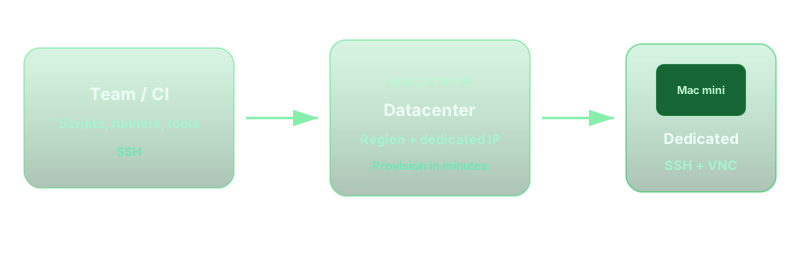
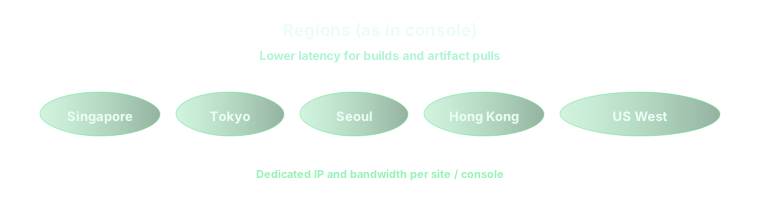
The patterns above assumededicated Apple Silicon, predictable SSD, and SSH+VNC access that behaves like production—not a noisy neighbor VM. vpszap offers aphysical M4 Mac miniwith the full CPU, RAM, and NVMe for your instance, activated in aboutfive minutes, billed by theday, week, month, or quarterwithno long-term contract, acrossmultiple low-latency regionsso you can park the gateway beside the team that actually drives it.
If you want this checklist on hardware that matches how you run OpenClaw in production, vpszap cloud Mac mini is the most straightforward place to start.
